Would you like to find people on Google+?
How about find people on Google+ that live in a specific area?
If you answered “Yes!” to the above questions, you’ve come to the right place.
I will walk you through the problems with Find People on Plus and Google’s own Google+ search before I show you something I’ve been tinkering with that seems to work well to reliably find people who live in a specific area.
UPDATE: I have a NEW Google Plus search guide updated for 2013.
Find People on Plus
If you’re interested in finding people on Google+, you’ve probably poked around Find People on Plus.
Find People on Plus has a few issues you should be aware of, not the least of which is the fact that it has only indexed a fraction of the total number of Google+ profiles.
Another issue is that you can’t reliably find people based on location, which is kind of important for most people.
For example, let’s take a look at a basic skill/interest and location search:
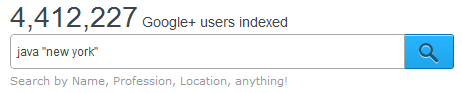
When you run the search, you’ll get about 234 people.
While most of the first page results are of people who appear to be located in New York, you can see that the 2nd result is of someone who lives in Cambridge, MA.

Once you navigate to page 2, things get looser – Italo is from Sao Paulo, and Nathan is from San Fran:

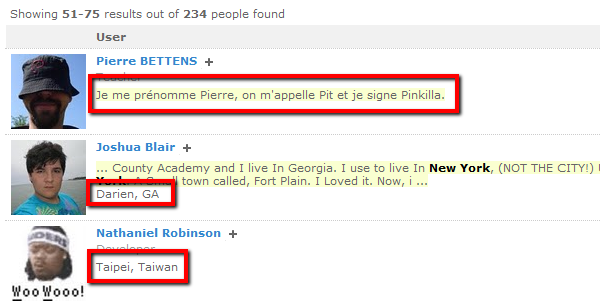
Page 3 yields more interesting non-New York results. Pierre is from Beligum, and while Nathaniel appears to be in Taipei – his LinkedIn profile states Kansas City.
How about Google+’s own search?
Don’t get your hopes up.
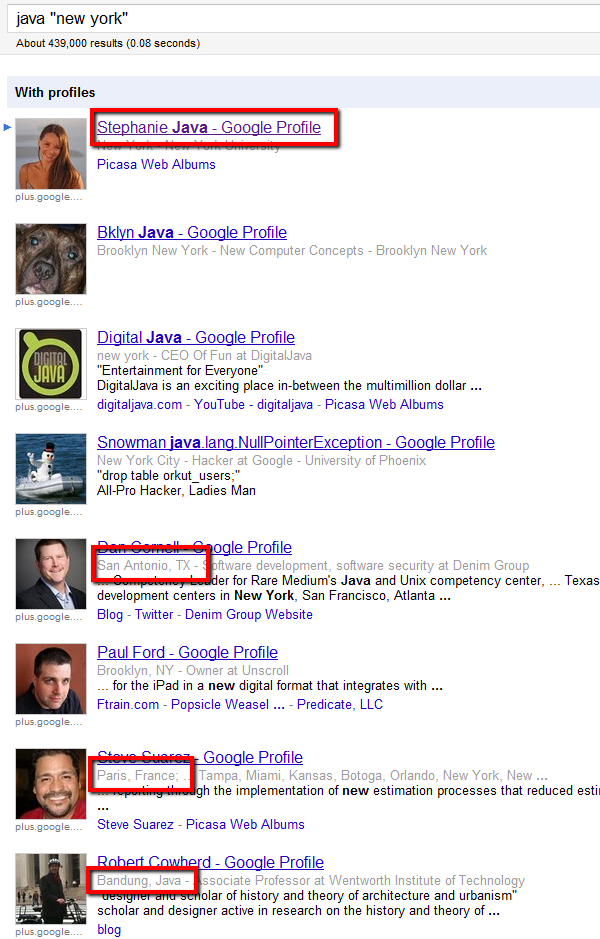
Here’s the same Java “New York” search from inside Google+:

Don’t be impressed by the estimated 430,000+ results.
Page 1 shows you the limitations of unstructured search: we see keyword hits in names as well as profiles of people in TX, France, and Bandung, Java (not really – Robert’s actually in the Boston area).
How to Find People on Google Plus by Location
I’ve been playing around with X-Ray searching Google+ to target people based on location that they list as their current.
Here’s an example:
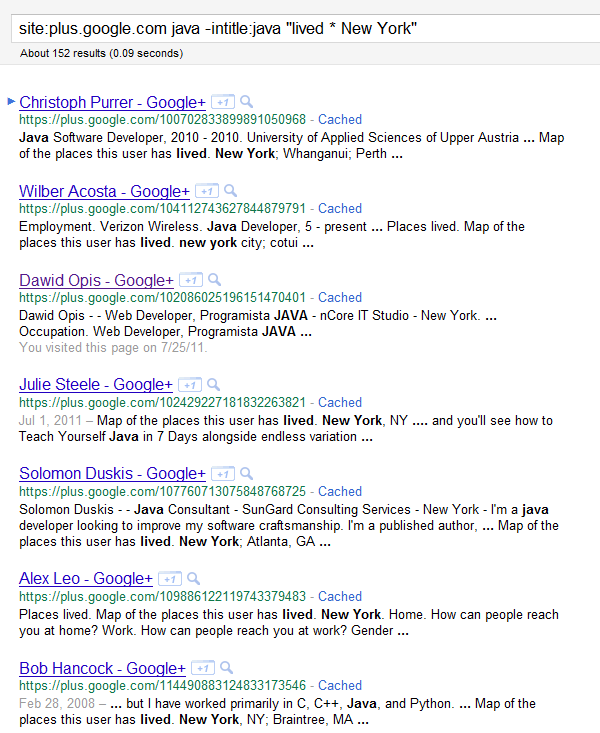
site:plus.google.com java -intitle:java “lived * New York”
That search should get you an estimated 152 results, but if you click through all of the pages, there are only slightly more than 20.
Although the number of results is low (for reasons I will explain later), exploring them shows us that this search seems to work relatively well:
I randomly sampled a few results – and when you click on one, you are take to the “posts” portion of a Google+ profile:
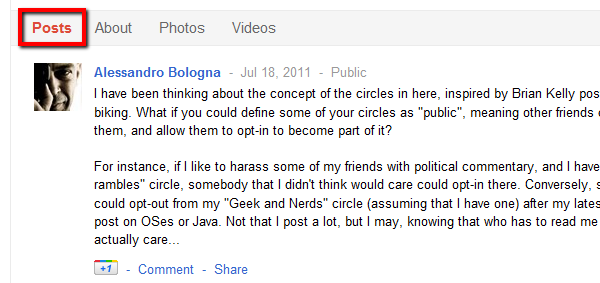
As you can see, nothing location-specific is mentioned in the “Posts” section.
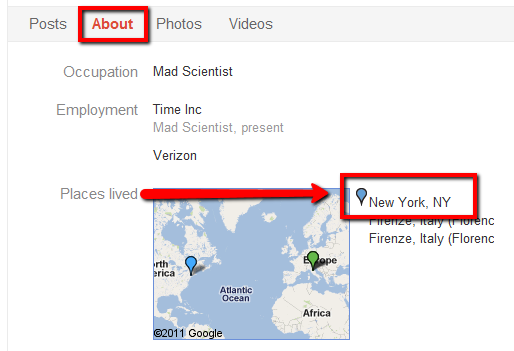
However, once you click the “About” section, you can see where a person has entered the places they have lived, with the first location specifying their current location, indicated by a blue marker.
It also works when there is a city specified:
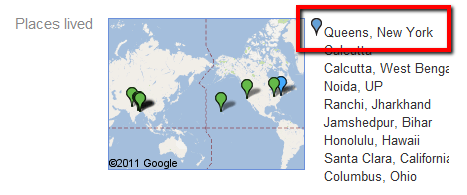
Pretty cool, right?
If you like, you can get a little more elaborate with your location queries and experiment with more than 1 asterisk.
For example:
site:plus.google.com “Lived * * * California | CA” ~Developer (CSS | HTML | jquery | javascript)
site:plus.google.com java “lived * * * seattle | bellevue | redmond | WA”
How does this work?
I know at least a few of my readers know the answer to this question – I’ll let one of them explain it. :-)
The Limitations
As is the case when searching any non-standardized, user-defined information, you have to think about all of the various ways a person might claim to live in a certain area.
Users can enter neighborhoods, cities, suburbs, metro areas, as well as monikers/nicknames…
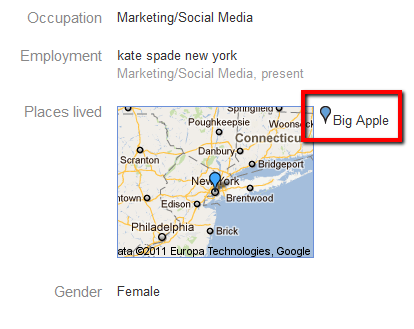
…and imaginary locations:
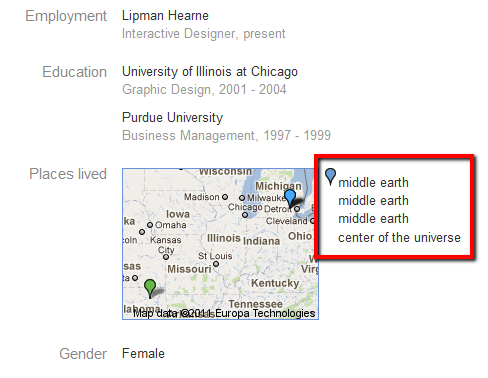
Also – you don’t actually have to specify which location is your current location, although if you do, it is automatically moved to the first location listed/top of the list.
And of course, not everyone has to specify the places they have lived, and even if they do, they can control who can see this information:
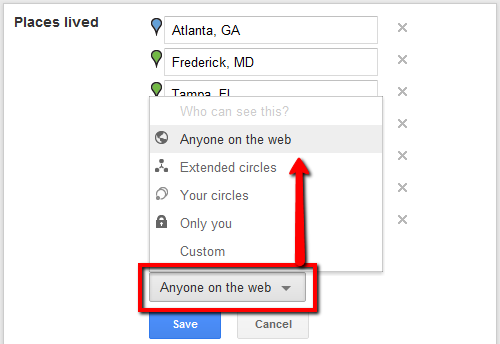
Why Source on Google+ Anyway?
That’s a great question.
One has to wonder how many people have a profile and use Google+ that don’t have a LinkedIn profile with more information, including standardized, easy to search location info.
I can tell you that in my testing thus far, whenever I’ve found a result on Google+ where I could not tell where the person actually lived, I simply checked LinkedIn, and I found the person I was looking for 100% of the time.
That doesn’t mean that there aren’t people you can find on Google+ that you can’t via LinkedIn, or that you can’t source valuable information from Google+ that you perhaps may not find on LinkedIn (or Twitter or Facebook, for that matter).
However, for the time being, your return on time invested in sourcing will still be much higher with LinkedIn, given the volume and depth of the highly searchable and structured data.
Happy hunting on Google+!